
Commercial Security Camera Installation: What It Costs and How to Plan It
Key Takeaways
- Professionally installed commercial CCTV systems may range from $4,000 for a small deployment to more than $100,000 for large or complex properties.
- Commercial security camera planning should begin with the evidence your business needs, such as identifying a person, verifying an incident, or reading a licence plate.
- Recorded video can help resolve disputes, investigate losses, review safety concerns, and identify operational problems such as congestion at a loading bay.
- Access control integration connects door events and credential activity with relevant video, giving security teams faster and more complete incident context.
- Construction conditions, camera capabilities, cabling, storage, software licensing, integrations, and retention requirements can substantially affect project costs.
- Network-based CCTV generally offers greater scalability and integration flexibility, while analog HD may suit upgrades that reuse serviceable coaxial cabling.
- Effective coverage depends on target distance, lighting, movement, viewing angle, obstructions, and the level of visual detail required at each location.
- Commissioning should confirm day and night performance, real-world retention, export functionality, user permissions, system resilience, and staff readiness.
A well-planned commercial security camera system gives your team greater visibility across your property when no one is there to see an event firsthand. The most effective installations are designed around the footage your business may actually need, whether that means identifying a person, verifying an incident or accident, or reviewing activity at a critical location. Starting with these real-world outcomes helps ensure every camera, cable, and recording decision contributes to a system you can rely on.
ROI and Business Benefits
The clearest return on the costs comes from reducing the time and uncertainty surrounding an incident. Searchable, time-stamped video can help your team verify what happened, preserve evidence, resolve disputed deliveries, investigate damage, and respond to safety concerns without relying on conflicting recollections.
Value That Extends Beyond Security
Operations teams can use an appropriately deployed CCTV or IP camera installation to review loading-bay congestion, confirm whether procedures were followed, or understand why queues form. Retailers may identify recurring loss patterns, while property managers can verify after-hours contractor activity. These uses should be governed by a clear policy so footage doesn’t become general-purpose employee monitoring.
The financial case should be based on avoided losses, faster investigations, and lower administrative effort rather than a promised payback period. Insurers may also consider surveillance when evaluating risk or a claim, but equipment alone doesn’t guarantee a premium reduction. Documented coverage, maintenance, retention, and incident procedures make the system more defensible.
How Security Cameras Integrate with Access Control
Security cameras integrate with access control in a single system by linking a door event, credential transaction, or alarm to the corresponding live and recorded video. Instead of searching an hour of footage after a forced-door alert, an operator can open the event and immediately review the seconds around it.
One Event, Better Context
Common integrations associate video with access granted, access denied, door-held-open, forced-open, intercom, and duress events. When someone presents a credential, the system records what the access platform decided and what the camera saw. That distinction matters when a valid card is borrowed, a person tailgates through a door, or a delivery entrance is propped open.
Integration can happen inside a unified security platform or through compatible video management and access-control products. Open standards help, but an ONVIF label does not prove that every event, analytic, or playback feature will work across products. Compatibility should be confirmed against the exact models, software versions, licences, and intended workflow.
The best design also defines who may view video, unlock doors, export clips, and change permissions. Those roles don’t always belong to the same people. Separating them and logging each action creates a stronger audit trail while limiting unnecessary access to sensitive footage.
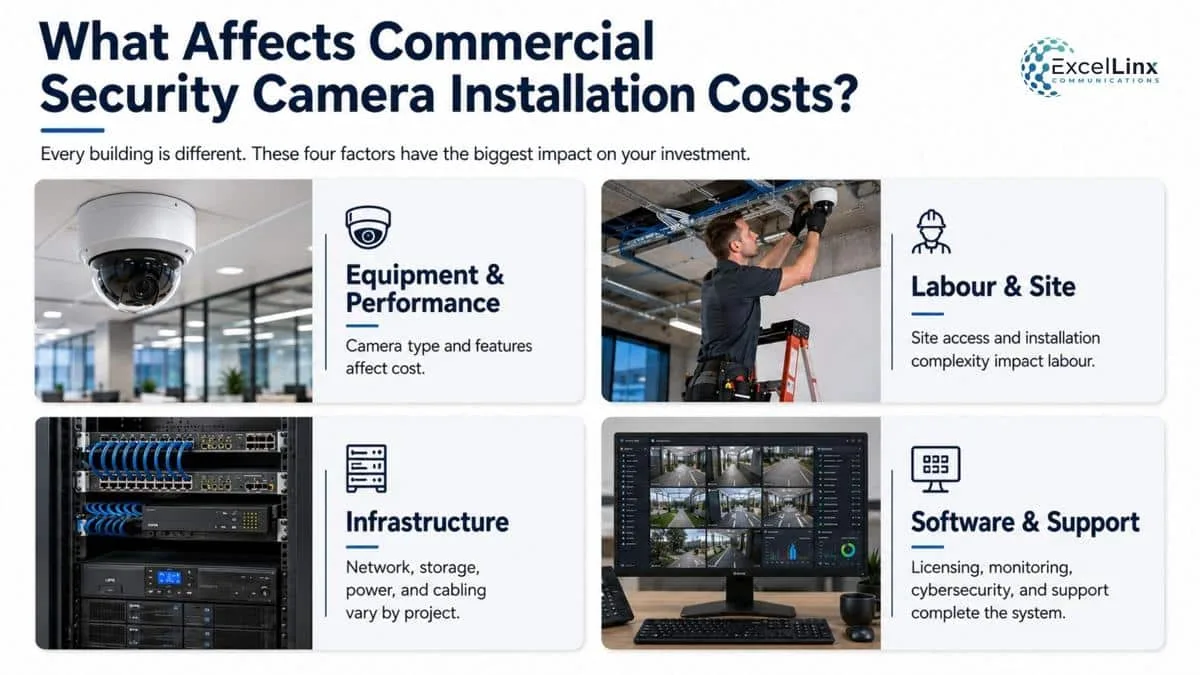
What Affects the Cost of Commercial Security Camera Installation?
A network-based CCTV system may require new category cabling, fibre uplinks, PoE switches, surge protection, an uninterruptible power supply, network segmentation, or a secure equipment cabinet. Two eight-camera projects can therefore land at very different prices.
Equipment and Performance Requirements
A standard indoor fixed camera costs less to supply and install than a vandal-resistant outdoor unit, multisensor camera, thermal device, long-range camera, or licence-plate recognition setup. Low-light performance, optical zoom, onboard analytics, environmental ratings, mounting hardware, and manufacturer support also affect equipment cost. The right comparison is the installed capability at each location, not the camera’s megapixel count.
Labour and Site Conditions
Labour rises when installers must work above ceilings, outdoors, at height, through concrete or fire-rated assemblies, or across long cable routes. Lifts, conduit, core drilling, permits, after-hours scheduling, traffic control, hazardous-area procedures, and patching can be meaningful line items. A site survey exposes these conditions before they become change orders.
Infrastructure, Storage, and Software
An IP system may require new Category cabling, fibre uplinks, PoE switches, surge protection, an uninterruptible power supply, network segmentation, or a secure equipment cabinet. Recording costs then depend on camera bitrates, recording schedules, retention targets, redundancy, and whether storage is local, cloud-based, or hybrid. Video management licences, analytics subscriptions, remote monitoring, access-control integration, cybersecurity hardening, training, and ongoing support should be separated on the quote so you can see the full lifecycle cost. When comparing bids, normalize currency, taxes, freight, warranty terms, recurring fees, and the amount of usable storage included.
Typical Commercial Security Camera Installation Cost Ranges
These 2026 planning ranges are in Canadian dollars and reflect professionally installed, business-grade network-based CCTV systems with standard recording, configuration, and commercial cabling. Difficult construction, specialized analytics, extensive fibre work, monitored services, and long cloud-retention periods can move a project outside the range.
| Business size | Typical camera count | Planning price range (CAD) |
|---|---|---|
| Small office, shop, or clinic | 4 to 8 | $4,000 to $10,000 |
| Mid-sized office, retail site, or light industrial facility | 9 to 24 | $10,000 to $30,000 |
| Large warehouse, campus, or multi-building site | 25 to 64+ | $30,000 to $100,000+ |
Treat camera count as a starting point, not a pricing formula. One well-positioned device may replace several poorly chosen cameras, while a single mission-critical entrance may justify a specialized unit and redundant recording.
Picking Camera Types and System Components
Choose each camera according to the job it must perform at that location, then size the supporting system around the combined workload. Buying one model for an entire property simplifies tech procurement, but it often produces unnecessary cost in easy video scenes and weak evidence in demanding ones.
Match the Form Factor to the Scene
Domes and turrets suit many indoor and sheltered applications because they are compact and less visually intrusive. Bullets provide an obvious deterrent and accommodate longer lenses or larger infrared illuminators. Panoramic and multisensor cameras can cover broad areas with fewer mounting points, although each view still needs enough detail for its purpose. PTZ (pan-tilt-zoom) cameras are useful for active monitoring and investigations, but a camera pointed elsewhere cannot capture the missed view. They usually complement fixed coverage rather than replace it.
Specialized applications may call for thermal cameras, explosion-protected housings, people-counting sensors, or licence-plate recognition. LPR (License Plate Recognition) performance depends on a controlled capture zone, vehicle angle, shutter settings, and illumination. A general overview camera at a parking entrance is not automatically an LPR camera.
Build the System Behind the Lens
For network-based CCTV cameras, confirm the PoE (Power over Ethernet) class of every device and leave enough switch capacity for your initial startup demand and future additions. Count available ports, total power budget, uplink throughput, and failure impact. A 48-port switch with enough spare ports may still be electrically undersized.
The recording layer may use an NVR (Network Video Recorder), server-based video management system, cloud platform, edge storage, or a hybrid arrangement. Choose it based on retention, resilience, user count, remote access, integrations, and data-location requirements. Include surveillance-rated storage, UPS runtime, secure time synchronization, and a practical way to export footage.
Also, confirm that the chosen codecs, metadata, and failover features remain supported throughout the entire recording path. Cameras, licences, storage, mounts, cabling, switching, and support should be designed as one system.
Network-Based vs. Analog CCTV Systems
Network-based CCTV systems are usually the stronger choice for new commercial installations, while analog HD can be a practical migration option where usable coaxial cabling is already in place.
| Consideration | Network-based CCTV systems | Analog HD CCTV systems |
|---|---|---|
| Cabling and power | Data and PoE can share one network cable | Video typically uses coax, with power supplied separately or through compatible cabling |
| Image and analytics | Broad choice of high-resolution, edge-analytic, and multisensor models | Good HD video, but fewer advanced device-level capabilities |
| Expansion | Scales through network switches, fibre links, and distributed recording | Often constrained by recorder inputs and point-to-point cabling |
| Cybersecurity | Requires patching, access control, segmentation, and secure remote access | Less exposed at the camera edge, but the internet-connected recorder still needs protection |
| Best fit | New builds, integrated systems, multi-site management, and future expansion | Budget-conscious upgrades that reuse serviceable coax |
How to Plan Camera Coverage
Plan camera coverage by defining the required visual result at each location, measuring the scene, and testing how lighting, movement, obstructions, and privacy boundaries affect that result. A floor plan covered in coloured cones is not enough to prove the footage will be useful.
Define the Evidence Standard
Start by deciding whether a view must detect activity, observe behaviour, recognize a familiar person, identify an unknown person, or read a plate. Each task requires a different level of detail on the target. Installers can translate that requirement into pixels per metre, lens choice, distance, and field of view. This is more reliable than specifying “4K everywhere,” because a high-resolution camera can still spread its pixels across too large an area.
Give priority to controlled paths such as entrances, exits, reception points, cash areas, loading docks, stairwells, server rooms, and vehicle lanes. Use overview cameras to establish context and tighter views to capture identity.
At doors, frame people approaching the camera rather than recording mainly the tops of their heads. Mark likely subject paths and capture heights on the survey, since people rarely stand at the centre of a theoretical field of view.
Test the Scene, Not the Floor Plan
Evaluate the site in daylight, darkness, and transition periods. Glass doors, headlights, snow, wet pavement, moving trees, infrared reflection, stacked inventory, seasonal displays, and parked trucks can change a scene dramatically. Wide dynamic range helps with backlighting, but it cannot correct every placement problem.
Apply privacy limits during design. Avoid washrooms, change rooms, neighbouring properties, and unnecessary views into work areas. Use privacy masks where appropriate, post clear notice, document the purpose of surveillance, and set retention around a legitimate operational need. Canadian privacy guidance emphasizes necessity, proportionality, limited access, secure storage, and timely deletion rather than collecting footage simply because the camera can.
Installation Process and Best Practices
A professional installation moves from requirements and site validation through detailed design, cabling, mounting, configuration, commissioning, and handover. Treating mounting day as the beginning of the project usually leads to rushed decisions that are expensive to correct.
From Survey to Working System
During discovery, the installer should confirm security objectives, camera views, pathways, network rooms, power, retention, integrations, remote users, and site constraints. The design phase converts those findings into device locations, lens specifications, cable routes, switch and storage calculations, licence counts, and a scope that identifies assumptions.
Installers then run and certify cabling, label both ends, fit suitable mounts and weather seals, protect exposed pathways, and record each device’s location and network details. Configuration covers image settings, recording rules, retention, alerts, user permissions, health monitoring, time synchronization, and integrations. Remote access should use secure vendor-supported methods instead of casually exposing recorder ports to the internet.
Commissioning Proves the Design
Every view should be tested against its original purpose in day and night conditions. Walk tests reveal motion blur, blind spots, analytic boundaries, and whether a face or plate remains usable when the subject is moving. Confirm the system retains footage for the time period you need under real bitrates and not only a theoretical estimate.
System handover should include as-built drawings, cable and device schedules, warranty details, administrator ownership, recovery procedures, and role-based training. To test the system, ask users to find an event, export it in a standard format, verify the export on another computer, and retrieve footage after a simulated camera or network interruption. Record representative day and night images as an acceptance baseline.
These tests give maintenance teams an objective comparison if focus, aim, lighting, foliage, or image quality changes later. A successful handover proves that your team can operate the system without the installer beside them.
Common Installation Mistakes
- Using a single wide shot where both scene context and facial detail are required
- Aiming through glass with infrared enabled, causing reflections that obscure the night image
- Mounting cameras where signs, doors, seasonal displays, or growing landscaping can block the view
- Allowing incorrect device time or inconsistent time zones to undermine the incident timeline
- Recording audio without first assessing consent, necessity, and applicable legal requirements
- Placing the recorder, network switch, or reset controls where an intruder can reach them
- Depending on consumer Wi-Fi for critical video when a protected wired connection is practical
- Accepting the default image settings without testing fast movement, headlight glare, rain, or snow
- Failing to check exported footage and the required player before an incident occurs
Professional vs. DIY Installation
Professional installation is generally the better fit when a business needs reliable evidence, several cameras, outdoor or high-level work, new cabling, integrations, centralized management, or documented privacy and cybersecurity controls.
The installer assumes responsibility for turning business requirements into a functioning system rather than leaving your staff to troubleshoot interactions among cameras, networks, storage, and software.
When DIY Can Be Reasonable
A small organization may handle a simple one- or two-camera deployment internally if the site is easy to cable, the consequences of missed footage are low, and someone on staff can securely administer the system. Consumer kits can also be useful for temporary observation or a non-critical secondary view.
The Real Costs & Concerns With DIY Commercial Security Camera Installation
Calculate DIY cost using staff time as well as hardware. Planning, ladder work, cable routing, configuration, testing, maintenance, and incident support all compete with normal responsibilities. Warranty boundaries can also become unclear when components come from several sources.
The key question isn’t whether your team can make cameras display on a screen. It’s whether the system will produce retrievable, appropriately protected evidence under difficult conditions, and whether someone will maintain it through password changes, firmware updates, device failures, storage replacement, and staff turnover.
Choosing a Security Camera Installer
Choose an installer who can explain the design in terms of operational outcomes, network architecture, privacy, cybersecurity, and lifecycle support. A proposal built mainly around brand names and megapixels gives you little basis for judging whether the finished views will meet your needs.

Look for Evidence of Design Discipline
A reputable provider like ExcelLinx Communications will survey the property, ask what must be seen at each location, identify uncertain site conditions, and show how camera, lens, lighting, cabling, switching, storage, and software decisions connect. The quote should distinguish equipment, labour, licences, subscriptions, optional items, exclusions, and ongoing costs. It should also state who owns system credentials and configuration data.
Be sure to review a potential installer’s:
- Comparable commercial work
- Manufacturer training
- Required trade qualifications
- Liability coverage and safety procedures
- Experience integrating the proposed products.
For multi-site projects, ask how standards, documentation, testing, and escalation will stay consistent across locations.
Also, Support Matters After the Cameras are Installed
Clarify response targets, remote-support controls, replacement procedures, firmware responsibility, warranty handling, and how system health will be monitored. It’s also wise to ask how easily another qualified provider could support the system if your service arrangement changes.
Questions to Ask a Commercial Installer
- What evidence standard will each proposed view meet at the target distance?
- Which assumptions could change the price after work begins?
- How were bandwidth, PoE capacity, storage, and retention calculated?
- Which features require recurring licences or cloud subscriptions?
- Have the exact camera, recorder, analytics, and access-control versions been tested together?
- How will remote access be protected, and can it be disabled without affecting local recording?
- Where will video and metadata be stored, and who can access or export them?
- What documentation, training, warranties, and post-installation support are included?
- How will you test performance after dark and during realistic movement?
- What capacity is reserved for future cameras, storage, and additional locations?
Parting Words
The most revealing part of a security proposal is often not the camera list, but the questions asked before that list exists. When video is treated as business-critical data, decisions about placement, storage, access, and maintenance become much clearer.
If you want a system designed around usable evidence and dependable infrastructure, contact the ExcelLinx team to plan a commercial security camera installation that fits your site today and remains manageable as your needs change across every location.
Frequently Asked Commercial Security Camera Installation Questions
How much does commercial security camera installation cost in Canada?
In 2026, professionally installed business-grade CCTV systems may cost approximately $4,000 to $10,000 for 4 to 8 cameras, $10,000 to $30,000 for 9 to 24 cameras, and $30,000 to $100,000 or more for 25 to 64-plus cameras. Specialized equipment, difficult cable routes, integrations, and longer retention can increase the price.
What affects the cost of commercial security camera installation?
The main cost factors include camera quantity and capabilities, cable routes, ceiling heights, outdoor work, network equipment, recording hardware, storage capacity, software licences, analytics, and access control integration. Labour requirements and building conditions can make two systems with the same number of cameras cost considerably different amounts.
How should a business plan security camera coverage?
Businesses should define what each camera must accomplish before choosing its location or resolution. A view may need to detect activity, recognize someone, identify an unknown person, or capture a licence plate. Installers should then test target distance, lighting, movement, viewing angles, obstructions, and privacy boundaries under realistic conditions.
Can commercial security cameras integrate with access control systems?
Yes. CCTV and access control integration can associate recorded video with events such as access granted, access denied, forced-open doors, held-open doors, intercom calls, and duress alarms. This allows an operator to review what happened around a specific event without manually searching through a long recording.
Are network-based or analog CCTV systems better for businesses?
Network-based CCTV is generally better suited to new installations, multi-site management, analytics, system integrations, and future expansion. Analog HD can be a cost-effective option when a property already has usable coaxial cabling. The better choice depends on existing infrastructure, required features, cybersecurity needs, scalability, and budget.
How long should a business retain security camera footage in Canada?
Canada does not impose one universal CCTV retention period for every business. Footage should be kept only as long as required for a legitimate security, operational, insurance, or legal purpose. Businesses should establish a documented retention schedule, restrict access, protect stored recordings, preserve footage connected to incidents, and securely delete recordings when they are no longer needed.