
Your business security system was state-of-the-art when you installed it. But that was a few years ago, and threat landscapes shift fast. Now you’re wondering: is what’s protecting your people, assets, and operations still actually doing its job? It’s a question most business leaders ask too late, usually after an incident rather than before one. The good news? With the right framework, upgrading your security doesn’t have to be reactive, expensive, or disruptive.
Assessing Current Security Systems
Before you can make smart decisions about upgrading, you need an honest picture of where things stand today. A thorough assessment looks at more than whether cameras are recording or whether access cards still work. It examines whether your infrastructure is integrated, whether your coverage has gaps, and whether the system you have was ever properly matched to the risks your business actually faces.
Start by auditing each component: CCTV surveillance systems (including coverage and image resolution), CCTV coverage and image resolution, access control points and credential management, alarm systems, intercom and communication tools, and the underlying network infrastructure that ties it all together. Then ask the harder question: are these components working as isolated tools, or are they part of a unified, centrally managed ecosystem? Fragmented systems create blind spots, and blind spots are exactly where incidents happen.
Pay close attention to your data storage and retrieval capabilities. Many older systems still rely on local DVR storage that degrades over time and lacks the remote access modern operations require. If your team can’t pull footage or check access logs from anywhere in real time, that’s already a limitation worth addressing.
Recognizing Signs for Upgrades or Replacements
There’s a meaningful difference between a system that needs routine maintenance and one that needs to be replaced. Knowing which situation you’re in saves both money and headaches.
Clear replacement signals include cameras producing low-resolution footage that can’t hold up to scrutiny during an incident review, access control hardware that’s no longer supported by the manufacturer (a strong prompt to explore a modern access control installation), and alarm systems that generate frequent false triggers. Any component that your team has learned to “work around” is effectively a failed component.
Subtler signs are just as important. If your system can’t integrate with newer technologies, it’s not just outdated; it’s becoming a ceiling. When your organization grows, adds locations, or changes its physical layout, a system that can’t scale with you stops being an asset. Similarly, if your current setup can’t generate audit trails or support the compliance reporting your industry requires, the liability exposure compounds quickly.
When Age Alone Isn’t the Issue
Hardware lifespan is often cited as a trigger for replacement, and for good reason. Most access control panels and cameras have a reliable functional lifespan of roughly seven to ten years. But age alone isn’t always the deciding factor.
A five-year-old system that was enterprise-grade at installation, has been regularly serviced, and integrates cleanly with current platforms may still be worth maintaining. A two-year-old system that was underpowered from day one, or was installed without a proper site assessment, may already need to be rethought entirely. The question to ask isn’t “how old is this?” but “is this still fit for purpose?”
Maintenance and Routine Upgrades
A well-designed security system isn’t a one-time installation. It’s a living part of your infrastructure that requires consistent attention to stay effective.
Routine maintenance should happen on a scheduled basis, not just when something breaks. Camera lens cleaning, firmware updates, cable and connection integrity checks, battery backup testing, and access credential audits are all tasks that, when neglected, quietly erode your protection without triggering any obvious alarm. Quarterly reviews of system health and semi-annual physical inspections are a solid baseline for most enterprise environments.
Firmware and software updates deserve particular emphasis. Manufacturers regularly release patches that address vulnerabilities, improve performance, and unlock new features. Many high-profile security breaches in commercial settings have been traced not to sophisticated attacks but to unpatched systems running outdated software. Staying current here is low-cost, high-impact protection. Beyond reactive maintenance, plan for incremental upgrades. Replacing components at end-of-life on a rolling schedule, rather than waiting for full system failure before acting, keeps your costs predictable and your protection uninterrupted.
Integrating Modern Technologies
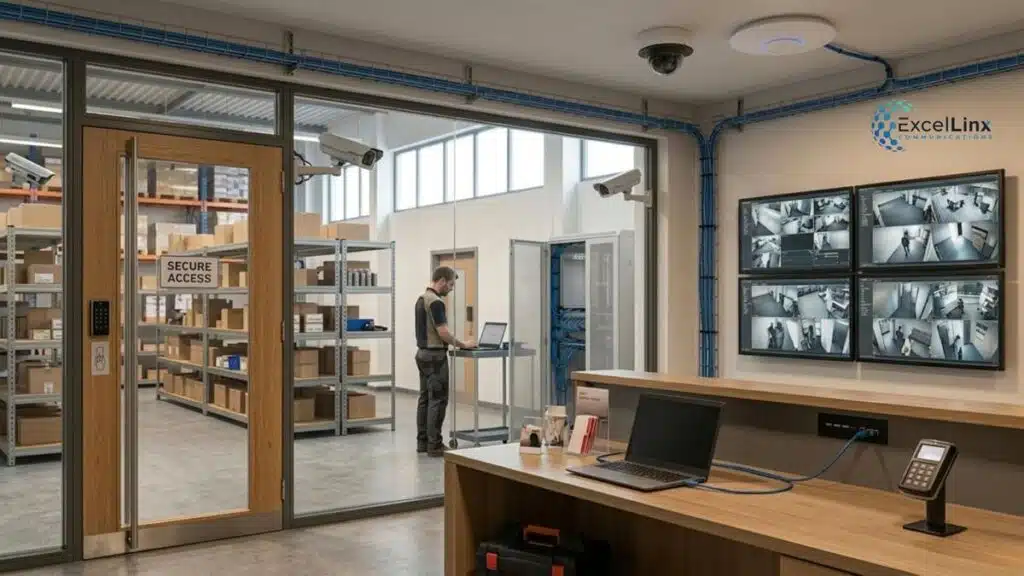
The most significant shift in commercial security over the past decade isn’t any single piece of hardware. It’s integration. Modern security systems are no longer collections of separate tools. They’re intelligent networks, and unified security system integration is what makes it possible for surveillance analytics, access control, alarms, intercoms, and building management systems to share data and automate responses in real time.
AI-enabled video analytics, for example, can distinguish between a package left unattended and normal foot traffic, automatically flagging anomalies without requiring constant manual monitoring. Cloud-based access control platforms allow permissions to be updated instantly across hundreds of locations simultaneously, with every access event logged and searchable. Smart triggers can initiate lockdown protocols, alert specific personnel, or route footage to designated stakeholders based on predefined conditions.
The practical implication for your upgrade planning is that modern security infrastructure does more with less manual intervention. For multi-site enterprises managing security across several facilities, this isn’t just a convenience feature. It’s a material reduction in operational risk and staffing overhead.
Customizing Security Solutions
No two businesses have the same risk profile, and the best security systems are the ones built around your specific environment rather than applied as a standard package.
A national retailer managing dozens of store locations needs video analytics tuned for loss prevention and foot-traffic monitoring, with centralized oversight across the entire network, exactly the kind of challenge that purpose-built multi-site security deployments are designed to solve.
A healthcare campus has to balance open patient access with strict controls over restricted areas, all while maintaining regulatory compliance. A warehouse prioritizes equipment oversight, perimeter protection, and worker safety in environments where cameras and sensors need to handle challenging lighting and physical conditions.
The architecture of your solution should reflect the actual threats and operational realities of your space. That starts with a thorough site assessment that maps coverage requirements, identifies vulnerabilities, and aligns technology choices with your existing IT infrastructure. Solutions designed around your environment rather than around a product catalogue perform better, integrate more cleanly, and last longer before requiring major overhauls.
Cost Considerations & Budgeting
Security upgrades tend to stall at the budget conversation, and that’s usually because the cost is being evaluated in isolation from the cost of not upgrading. A more useful frame is the total cost of ownership: what does this system cost over its full operational life, accounting for maintenance, scalability, and avoided losses?
Cloud-managed systems often carry higher recurring costs than on-premise infrastructure, but reduce the capital expenditure burden and eliminate the need for dedicated on-site server hardware. Modular architectures allow you to phase upgrades strategically, prioritizing the highest-risk components first without requiring a full system replacement in one budget cycle. This approach also reduces operational disruption, which carries its own real cost in enterprise environments.
Factor in insurance implications as well. Carriers increasingly recognize verified, documented security infrastructure when underwriting commercial policies. A well-maintained, certified system with clear audit trails is a demonstrable risk-reduction measure, and for some organizations, it translates directly into lower premiums.
Choosing Security Partners and Professional Consultation
The quality of your security system is only partly determined by the equipment. The expertise behind its design, installation, and ongoing support matters just as much, and in many cases more.
The right partner brings more than product knowledge. They bring a process: beginning with a detailed site assessment and vulnerability analysis, moving through a solution design phase that aligns with your IT architecture and operational requirements, then delivering installation with full certification and documentation. Post-installation, they remain a resource for ongoing support, system adjustments as your business evolves, and guidance on when incremental upgrades make more sense than replacements.
At ExcelLinx Communications, that integration-first approach is built into every engagement, treating your security infrastructure as a unified system, not a collection of products, with service capability that matches your geographic footprint. Nationwide consistency matters when your operations span multiple provinces. And given how tightly modern security systems intersect with network infrastructure cabling and AV systems, a partner who can manage that full scope is significantly more valuable than one focused narrowly on hardware installation.
Strategic Upgrade Planning
Reactive security upgrades are almost always more expensive and more disruptive than planned ones. A strategic approach converts what is often an emergency expenditure into a manageable, predictable part of your operational planning.
A well-structured upgrade roadmap starts with the output of your current system assessment. You know what’s underperforming, what’s aging toward end-of-life, and where coverage gaps exist. From there, prioritize by risk impact: the components that, if they failed, would leave your most critical assets or entry points unprotected move to the front of the queue.
Build in technology lifecycle planning from the start. When you invest in new infrastructure, your partner should be documenting expected maintenance windows, firmware support timelines, and scalability thresholds so that future decisions are informed rather than reactive.
Review your security roadmap annually alongside your broader technology planning, and treat it as a living document rather than a one-time project deliverable. Organizations that approach security as a program rather than a project consistently maintain stronger protection at lower total cost over time.
Parting Thoughts
Here’s a perspective that often gets overlooked: the businesses with the most resilient security programs aren’t necessarily the ones with the most advanced technology. They’re the ones that treat security as infrastructure rather than insurance. When protection is planned, maintained, and evolved proactively, it quietly does its job in the background while your team focuses on growth. That’s exactly the standard to hold yourself to. Ready to assess where your current systems stand and map what comes next? Let’s build something that actually works for you.