
Creating an Immersive Conference Room with the Right AV Setup
Walk into a conference room where everything just works and you notice it immediately. Voices are crisp, visuals feel larger than life, and remote participants come through as clearly as those sitting across the table.
That level of immersion does not happen by accident. It’s the result of thoughtful AV design, the right technology stack, and a clear understanding of how people actually collaborate. When those elements align, meetings stop feeling like a compromise and start functioning as a genuine extension of in-person interaction.
AV Equipment Types and Components
Every immersive conference room is built on a signal chain that moves audio and video from source to display with minimal friction. Cameras capture visual input, microphones handle audio pickup, processors clean and route signals, and displays deliver the final output.
The difference between a standard setup and a high-performance one often comes down to how well these components are matched. A high-end camera paired with entry-level microphones will still result in a mediocre experience because audio clarity drives perceived quality more than video resolution.
Displays That Match the Room’s Intent
Display selection is not just about size or resolution. It is about matching viewing distance, ambient lighting conditions, and content type. In smaller rooms, a single 4K panel can provide exceptional clarity for presentations and video calls. Larger rooms benefit from dual displays or projection systems that separate content from participant video feeds. This separation helps maintain engagement by allowing attendees to focus without visual clutter.
Audio Systems That Eliminate Fatigue
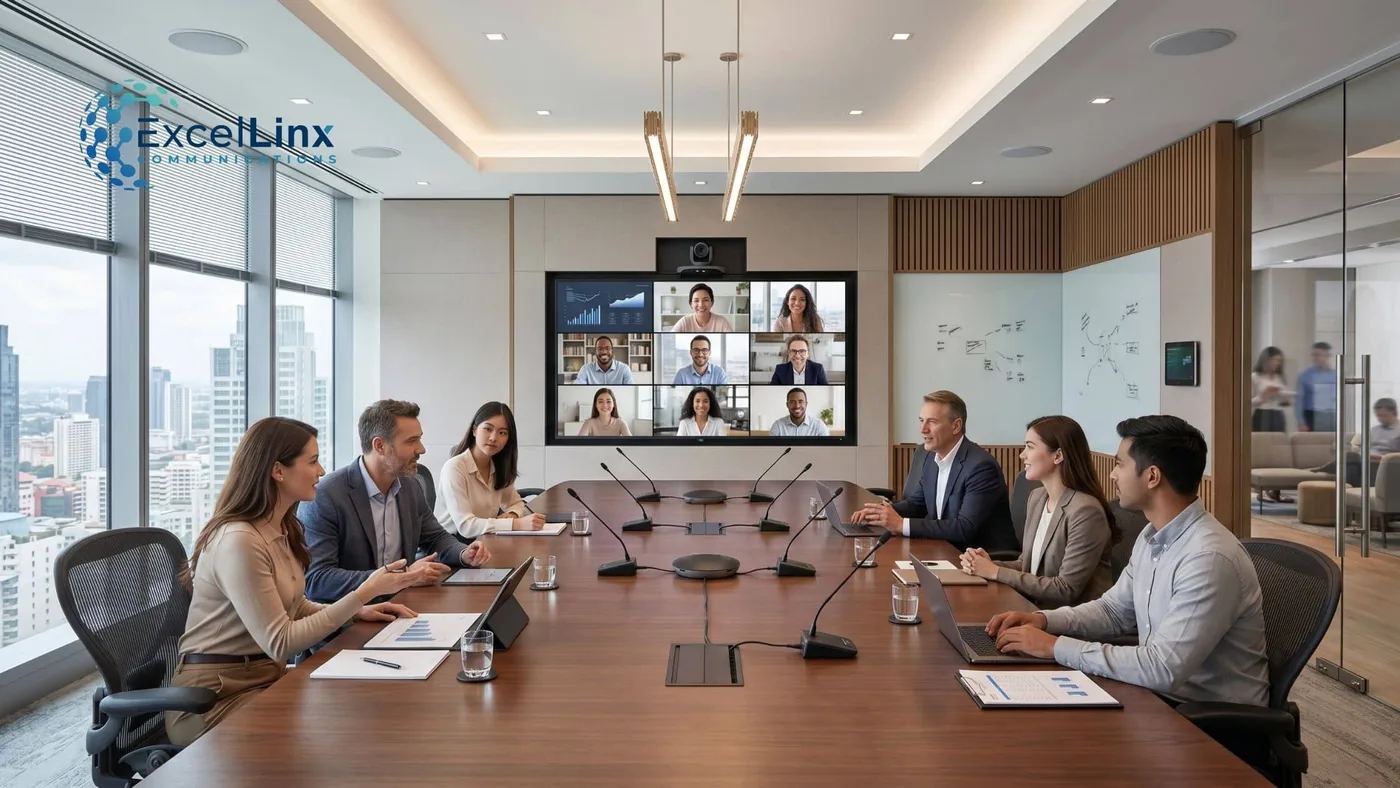
Audio design is where many conference rooms fall short. Ceiling-mounted microphone arrays, beamforming technology, and properly tuned DSP units create a consistent pickup zone without requiring users to lean toward a table mic. On the output side, distributed speakers ensure even coverage, avoiding hotspots where sound is too loud or too weak. The goal is to make conversation feel natural, not amplified.
Cameras That Create Presence
Modern conferencing cameras go far beyond static wide shots. Auto-framing, speaker tracking, and AI-driven composition create a more dynamic and engaging experience for remote participants. Instead of watching a distant boardroom, they feel like active participants in the discussion. This shift is subtle but has a measurable impact on meeting effectiveness.
AV System Design and Installation
The best AV systems are designed around how people use the space, not just the room’s dimensions. Seating layouts, sightlines, and typical meeting formats all influence design decisions. A room used for collaborative workshops requires a different setup than one used for executive briefings. Ignoring these nuances leads to systems that look impressive but fail in daily use.
Infrastructure That Supports Performance
Behind every polished conference room is a layer of infrastructure that rarely gets attention. Structured cabling, network bandwidth, and power distribution all play a role in system reliability. Latency issues, signal degradation, wireless interference, and intermittent connectivity often trace back to these foundational elements. Investing here prevents problems that are difficult to diagnose later.
Precision Installation and Calibration
Installation is not just about mounting equipment. It involves calibration at multiple levels, including audio tuning, camera positioning, and display alignment. Acoustic treatment is often overlooked but can dramatically improve sound quality by reducing echo and reverberation. Even small adjustments in speaker placement or microphone sensitivity can transform the user experience.
Scalability as a Design Principle
Conference room technology evolves quickly. Designing with scalability in mind allows systems to adapt without requiring a complete overhaul. Modular components, standardized interfaces, and flexible control systems make it easier to integrate new technologies as they become relevant.
Network Infrastructure and Bandwidth Optimization
Even the most advanced AV hardware will underperform if the underlying network cannot support it. High-resolution video streams, low-latency audio, and real-time collaboration tools all rely on consistent bandwidth and intelligent traffic management.
In many cases, issues like lag, dropped calls, or pixelated video are not caused by the AV system itself but by network congestion or poor configuration. This is why structured network planning needs to be treated as a core part of conference room design rather than an afterthought.
Segmentation, QoS, and Traffic Prioritization
Modern AV systems operate over IP, which means they share network resources with everything from cloud applications to internal communications tools. Without proper segmentation, critical AV traffic competes with less time-sensitive data.
Implementing VLANs and Quality of Service protocols ensures that voice and video packets are prioritized, maintaining clarity even during peak usage. This approach ties directly into broader network infrastructure strategies, where proper configuration determines whether an AV system performs consistently or struggles under load.
Wired vs. Wireless Reliability
Wireless connectivity introduces flexibility, but it also brings variables like interference, signal attenuation, and device density. For conference rooms where reliability matters, a hybrid approach often delivers the best results.
Core AV components benefit from wired connections that provide stability and predictable performance, while wireless access supports user devices and screen sharing. This balance minimizes disruptions while maintaining convenience. Learn more about
Future-Proofing Bandwidth Demands
Bandwidth requirements continue to increase as 4K video, multi-stream conferencing, and AI-driven features become standard. Designing infrastructure with sufficient headroom ensures that current investments remain viable as demands grow.
Upgrading cabling to CAT6 cabling, optimizing access point placement, and planning for higher throughput standards all contribute to a network that can support evolving AV needs without constant reconfiguration. Learn to spot the signs that your business needs a network upgrade before they escalate.
Acoustic Design and Environmental Optimization
Acoustics often go unnoticed until something feels off. Hard surfaces, glass walls, and open layouts common in modern offices create reflections that degrade speech intelligibility.
Without proper treatment, even high-end microphones struggle to deliver clear audio. Addressing acoustics during the design phase transforms both the performance and overall feel of a conference room.
Controlling Reflection, Absorption, and Noise
Effective acoustic design balances absorption and diffusion to manage how sound behaves within a space. Acoustic panels, ceiling treatments, and carefully selected materials reduce echo and prevent sound from bouncing unpredictably.
External noise sources such as HVAC systems, hallway traffic, and adjacent workspaces also need to be considered. Isolating the room acoustically helps maintain clarity and privacy during meetings.
Integrating Acoustics with AV Hardware
Acoustic design and AV hardware function best when they are planned together. Microphone placement, speaker coverage, and digital signal processing all depend on the room’s acoustic profile.
A well-treated room allows microphones to operate at lower gain levels, reducing background noise and minimizing the risk of feedback. This alignment improves overall system performance without requiring additional hardware upgrades.
Designing for Comfort and Focus
Acoustics influence more than technical performance. They shape how comfortable a room feels during extended use. Poor audio environments contribute to listener fatigue, making long meetings harder to follow. A balanced sound environment supports better concentration and more natural communication, reinforcing the idea that immersive AV depends as much on the surrounding environment as it does on the technology itself.
Automation and Control Systems
A technically advanced system means little if users struggle to operate it. Control systems act as the interface between complexity and usability. Touch panels, mobile apps, and voice controls provide intuitive ways to manage multiple components through a single interface. The goal is to reduce friction so that meetings start on time without technical delays.
Centralized Control and Integration
Modern control platforms integrate lighting, shading, climate, and AV into a unified system. This level of integration creates a cohesive environment where adjustments happen seamlessly. For example, starting a video call can automatically dim lights, lower shades, and activate the appropriate display configuration. These small details contribute to a more immersive and professional atmosphere.
Reliability Through Automation
Automation also improves reliability by standardizing processes. Predefined scenarios reduce the likelihood of user error and ensure consistent performance. When systems behave predictably, users gain confidence and are more likely to adopt advanced features.
Best Practices and Recommendations
If there is one principle that consistently delivers better outcomes, it is prioritizing audio quality. Poor audio disrupts communication far more than subpar video. Along with designing for acoustics and proper acoustic treatment, investing in high-quality microphones and professional tuning yields immediate and noticeable improvements.
Designing for Flexibility
Conference rooms rarely serve a single purpose. Designing systems that can adapt to different meeting formats increases long-term value. Flexible layouts, movable furniture, and adaptable AV configurations allow the space to evolve with changing needs.
Avoiding Overengineering
There is a tendency to add features simply because they are available. This often leads to overly complex systems that users avoid. A focused approach that emphasizes usability and reliability typically delivers better results than a feature-heavy design.
Hybrid and Remote Meeting Support
Hybrid meetings introduce a unique challenge. The goal is to create parity between in-room and remote participants. This requires more than just adding a camera and microphone. It involves thoughtful placement of equipment, consistent audio pickup, and visual framing that includes all participants.
Platform Compatibility and Optimization
Different organizations rely on different conferencing platforms, and systems must be optimized for seamless integration. Ensuring compatibility with major platforms reduces friction and avoids the need for workarounds. Native integration features often unlock better performance and more advanced capabilities.
Enhancing Engagement for Remote Participants
Remote participants often feel like observers rather than contributors. Technologies such as intelligent camera switching and spatial audio help address this issue by creating a more immersive experience. When remote attendees can clearly see and hear every interaction, engagement levels increase significantly.
Room Size-Based AV Solutions
In smaller rooms, simplicity is key. All-in-one conferencing bars that combine camera, microphones, and speakers offer a streamlined solution. These systems reduce installation complexity while delivering strong performance for quick meetings and collaborative sessions.
Medium-Sized Conference Rooms
Medium rooms require a more distributed approach. Separate microphones, dedicated speakers, and multiple displays provide greater flexibility and coverage. This setup supports a wider range of meeting formats, from presentations to group discussions.
Large Boardrooms and Training Spaces
Large rooms demand a fully integrated system with advanced processing capabilities. Multiple cameras, zoned audio systems, and high-brightness displays or projection systems ensure consistent performance across the space. Attention to detail becomes critical, as small inconsistencies can become noticeable at scale.
Emerging Trends and Technologies
Artificial intelligence is reshaping how conference rooms function. Features such as real-time transcription, automated meeting summaries, and intelligent camera framing enhance productivity without adding complexity. These tools reduce administrative overhead and allow participants to focus on the discussion.
Immersive Display Technologies
Advancements in display technology are creating more engaging visual experiences. Ultra-wide displays, LED video walls, and higher refresh rates contribute to a more lifelike presentation of content. These technologies are particularly effective in executive spaces and high-impact meeting environments.
Spatial Audio and Advanced Acoustics
Spatial audio is gaining traction as a way to improve clarity and immersion. By simulating the direction of sound, it helps participants distinguish between different speakers, even in remote settings. Combined with advanced acoustic design, this creates a more natural listening experience.
Support, Training, and Troubleshooting
Even the most intuitive systems benefit from user training. Short, focused sessions help users understand key features and best practices. This reduces hesitation and encourages adoption, ensuring that the system delivers its full value.
Proactive Support Strategies
Ongoing support is essential for maintaining performance. Remote monitoring, regular system updates, and preventive maintenance help identify issues before they impact meetings. This proactive approach minimizes downtime and keeps systems running smoothly.
Troubleshooting Without Disruption
When issues do arise, the ability to resolve them quickly is critical. Clear documentation, accessible support channels, and well-designed interfaces make troubleshooting more efficient. The goal is to address problems without disrupting the flow of meetings.
Final Thoughts
An immersive conference room is defined by more than any single piece of technology. It’s the result of a system that aligns with how people communicate, collaborate, and make decisions.
When every element is designed with intention, the room becomes a tool that shapes how ideas are shared and how outcomes are achieved. If your current setup feels like it is holding conversations back, it is time to rethink the experience from the ground up and build something that actually keeps pace with how your team works.
Excellinx Communications helps businesses design, deploy, and integrate network infrastructure that scales with confidence. Contact our team to start a conversation about your next network project.